
 Jasu
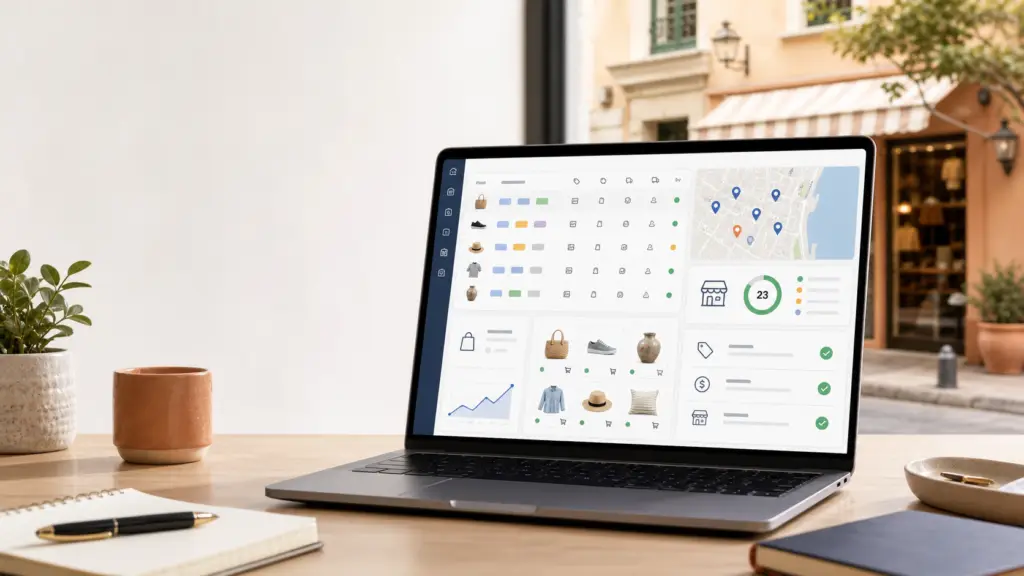
Feed optimisation for local shops means preparing your product data so that Google, Merchant Center, Google Shopping, free listings and local campaigns understand what you sell, where you sell it, at what price and whether it is available in each physical shop.
This approach is especially useful for retailers where local stock weighs on the decision, such as opticians with frames, sunglasses or contact lenses. In those cases, an SEO strategy for opticians should connect products, the local listing, reviews and service pages.
In a local shop, the feed is not just a technical file. It is the bridge between the real catalogue, the stock at each point of sale and the searches of nearby users with purchase intent. If the feed is incomplete, out of date or badly structured, you can have good products and still lose visibility on Google.
In this guide you will see how to work on product feeds for local shops from an SEO and business perspective: critical attributes, inventory synchronisation, title optimisation, common mistakes, tools and measurement.
Local feeds are especially sensitive in computer retail, where availability and prices change quickly. That is why it is also worth reviewing the approach to SEO for computer shops in Valencia.
What Google looks for when it interprets a local shop feed
Google needs to turn your catalogue into reliable data. For a physical shop, that means answering four basic questions:
- What the product is.
- Which specific shop it is available in.
- What price the user will see.
- Whether they can buy it, reserve it or collect it without frustration.
The official Merchant Center documentation stresses the accuracy of product data and frequent updating of local inventory. For local products, Google states that the feed must reflect up-to-date prices and information and that, at a minimum, it should be updated once a day. You can see this in the guide on local product feed update frequency.
Product feed, local inventory feed and website
A shop with online sales and physical outlets may need several layers of data:
- Primary product feed: contains the core catalogue data: title, description, image, price, brand, identifiers, URL and category.
- Local inventory feed: links those products to specific shops, local stock, availability and price per store.
- Product and category web pages: these must confirm what the feed declares. If the landing page says one thing and Merchant Center receives another, you get disapprovals, a loss of trust and poorer performance.
That is why feed optimisation should not be handled in isolation from ecommerce SEO. If product pages, categories and structured data are disorganised, the feed carries part of that problem with it.
Critical attributes in feeds for local shops
The SERP for this search shows a clear mix: feed management, Google Merchant Center, local inventory and product data optimisation. What sets a local shop apart is not uploading any old catalogue, but keeping data consistent for each shop.
Product identifier and basic data
Before optimising titles or descriptions, make sure each product is properly identified. Fields such as id, gtin, mpn, brand, condition and category help Google recognise the product and compare it correctly.
When identifiers are missing, Google may understand the item less well, show it in less precise searches or disapprove it if it fails to meet requirements. The baseline reference is the Merchant Center product data specification.
Price, availability and stock per shop
Locally, users do not forgive inconsistency. If Google shows a product as available and it is not there when they reach the shop, the experience breaks down. That is why the availability, quantity, price and shop fields should come from the most reliable system possible: ERP, POS, ecommerce platform or inventory connector.
With small catalogues you can start with a scheduled file. With medium catalogues or high turnover, it is worth automating synchronisation. Google allows different ways of uploading local inventory, from files to an API or local data providers, as explained in its guide on how to upload local inventory data to Merchant Center.
URLs and landing pages
Every product in the feed should point to a crawlable, useful and consistent URL. For SEO, this means avoiding product pages without content, cannibalised products, unnecessary parameters or pages that keep changing status.
If your ecommerce site has thin or duplicate product pages, it is worth reviewing the foundations first. At Queseo we have already covered how to optimise product pages for SEO, because the feed only amplifies the quality or the problems of those pages.
How to optimise feed titles and descriptions without losing accuracy
A common mistake is copying internal ERP titles, supplier references or names that only the shop team understands. Google and users need something clearer.
A practical title structure
A good feed title usually combines the data that helps identify the product and set it apart:
- Product type.
- Brand.
- Model or range.
- Key attribute: size, colour, material, capacity, use or compatibility.
- Variant, if it affects the choice.
For example, sending Trainer 2234 blue is not the same as sending Women’s Nike Pegasus running trainers blue size 38. The second title gives more context, avoids ambiguity and can trigger searches closer to the real intent.
Useful descriptions, not keyword stuffing
The description should explain the attributes that matter when buying: materials, measurements, compatibility, recommended use, pack contents, restrictions or specific benefits. There is no need to turn every description into a long text, but you should avoid empty or generic fields.
If you work with lots of products, you can use rules or AI to standardise attributes, but always with editorial control. In large catalogues, AI applied to ecommerce SEO can help detect patterns, complete fields and prioritise products, but it should not publish made-up data.
Synchronisation: where local feeds fail most
In a physical shop the feed goes stale quickly. A price changes, a product sells out, a promotion starts or a size is only available in one branch. If the feed is not updated often enough, visibility may hold up, but the commercial experience gets worse.
When a daily update is enough
A daily update may be enough when:
- The catalogue has low turnover.
- Prices rarely change.
- The shop does not depend on stock by size or variant.
- The main goal is free listings or campaigns with stable products.
When you need more frequent updates or an API
If you sell fashion, electronics, spare parts, specialist food or products with high local demand, you need a faster system. In those cases, the API or specialist connectors reduce errors because they link Merchant Center to the real inventory.
The key is not updating for the sake of it. It is defining which data is critical to the experience: stock, price, availability, promotions and shop. Those fields should take priority over more static data such as brand, colour or material.
How the feed, ecommerce SEO and categories relate
The feed can improve performance in Shopping and free listings, but organic SEO still depends on indexable pages, architecture, content, internal linking and quality signals. For a local shop, both channels should reinforce each other.
Categories that explain local demand
A well-built category helps Google understand the range, the variants and the purchase intent. If your categories are thin, the feed may attract product clicks, but the website does not build topical authority. That is why it is also worth reviewing how to optimise the categories of an online shop.
Structured data on the website
Product structured data does not replace the feed, but it helps align signals. Price, availability, ratings, image and product must be consistent between the page and Merchant Center. Google offers a dedicated guide to product structured data.
When this data does not match, it is common to see warnings, disapproved products or a drop in performance. The audit should review the feed, rendered HTML, schema, Merchant Center and landing page URLs as one system, not as separate pieces.
Common mistakes when optimising feeds for local shops
Most problems do not come from a lack of tools, but from a lack of process. These are the mistakes that do the most damage:
- Internal titles: references that do not describe the product to a shopper.
- Out-of-date stock: products marked as available when they are not.
- Inconsistent prices: differences between the feed, the website and the physical shop.
- Generic categories: products sent without a useful taxonomy.
- Poor images: small, cropped or watermarked photos, or ones without the correct variant.
- URLs with parameters or redirects: slow, changing or hard-to-crawl pages.
- No local segmentation: the same feed for every shop even though real stock differs.
- Unchecked automation: rules that fill in fields but create errors at scale.
If the catalogue already has lots of warnings, the most cost-effective step is usually to start with an SEO and product data audit: identify disapprovals, the products with most demand, priority categories and technical errors before rewriting the whole feed.
Tools and methods for managing local feeds
Not every shop needs an advanced tool from day one. The choice depends on catalogue size, number of shops, how often things change and the channels where you want to sell.
Common options
- Scheduled file: useful for small or medium catalogues with few daily changes.
- Ecommerce plugin: practical in WooCommerce, Shopify, PrestaShop or other CMSs, although you should check the quality of the output.
- Feed management tools: Channable, DataFeedWatch, Producthero, Adsmurai and other platforms allow rules, enrichment and validation.
- API: recommended when local stock, prices or availability change a lot.
- ERP/POS connector: essential if the physical shop is the source of truth for real inventory.
A tool will not fix a poor data strategy. Before paying for software, define which fields you need, who owns each piece of data and how bulk changes will be validated.
How to measure whether feed optimisation is working
Measuring only clicks or sales can hide problems. It is worth reviewing several layers:
- Merchant Center: approved and disapproved products, warnings, coverage and free listings.
- Google Ads: impressions, clicks, cost, ROAS, search terms and performance by product.
- Search Console: organic impressions, clicks, product URLs and category queries.
- Web analytics: sessions, conversions, calls, forms, bookings and purchases.
- Local business: in-store collections, calls, visits and real availability.
Search Console is especially useful for spotting whether product pages and categories gain organic visibility after you tidy up data, content and architecture. You can start from the official Google Search Console page.
A quick plan to optimise a local feed in 30 days
Days 1-7: diagnosis
Export products, Merchant Center warnings, landing pages and Search Console data. Separate technical errors, data errors and commercial opportunities. Prioritise categories with margin, stable stock and local demand.
Days 8-15: data clean-up
Standardise identifiers, titles, categories, images, prices and availability. Fix inconsistencies between the website and the feed. If there are lots of products, work through priority product families instead of trying to fix the whole catalogue at once.
Days 16-23: synchronisation and rules
Set up scheduled updates, attribute rules or an API depending on catalogue turnover. Document which source is authoritative for each field: ecommerce platform, ERP, POS, spreadsheet or feed tool.
Days 24-30: measurement and improvement
Review disapproved products, search terms, listings with impressions but no clicks and categories with potential. Adjust titles, images and landing pages. Repeat the process with the next product family.
When it makes sense to get outside help
If the shop has few products, you can solve a lot with a manual review and a correct Merchant Center setup. But if you have several shops, stock by location, lots of SKUs or active Shopping campaigns, feed errors quickly turn into lost visibility and wasted budget.
At Queseo we work on ecommerce SEO by connecting technical audits, architecture, categories, product pages, structured data and measurement. If you need to review your catalogue and turn the feed into a competitive advantage, we can help through our ecommerce SEO consultant in Valencia service or with a full SEO review of your shop.
A florist with an online catalogue can combine inventory, products and local visibility. That is why an SEO strategy for florists in Valencia should also look at home deliveries and product data.
Feeds do not end at Google Merchant Center. For brands with a distributed catalogue, they also affect visibility within marketplaces. This approach is covered in SEO for marketplaces in Valencia.
Local ecommerce businesses also depend on clear information about shipping, availability and coverage. That part ties in with the work on SEO for delivery companies.
Frequently asked questions about feed optimisation for local shops
Is a product feed the same as a local inventory feed?
No. The product feed describes the general catalogue. The local inventory feed adds information for each physical shop, such as availability, quantity, price and store code. For a local shop, both must be aligned.
How often should the local feed be updated?
Google recommends updating the local product feed regularly and, at a minimum, once a day. If stock or prices change a lot, it is worth increasing the frequency or using an API or connectors.
Does feed optimisation improve organic SEO?
It can help indirectly if it forces you to tidy up data, product pages, categories, images and schema. But organic SEO also needs useful pages, a clear architecture, relevant content, crawlability and internal linking.
Which products should I optimise first?
Start with products that have margin, stable stock, local demand, good search potential and decent landing pages. Then expand to categories with more errors or higher sales volume.
Although feeds are more common in retail, the logic of organising catalogue and demand also helps in tourism: agencies can work on services, destinations and packages within an SEO strategy for travel agencies.

Technical SEO consultant in Valencia for more than 16 years. Speaker and organiser at WordCamp Valencia and author on the Semrush and Publisuites blogs. More about me